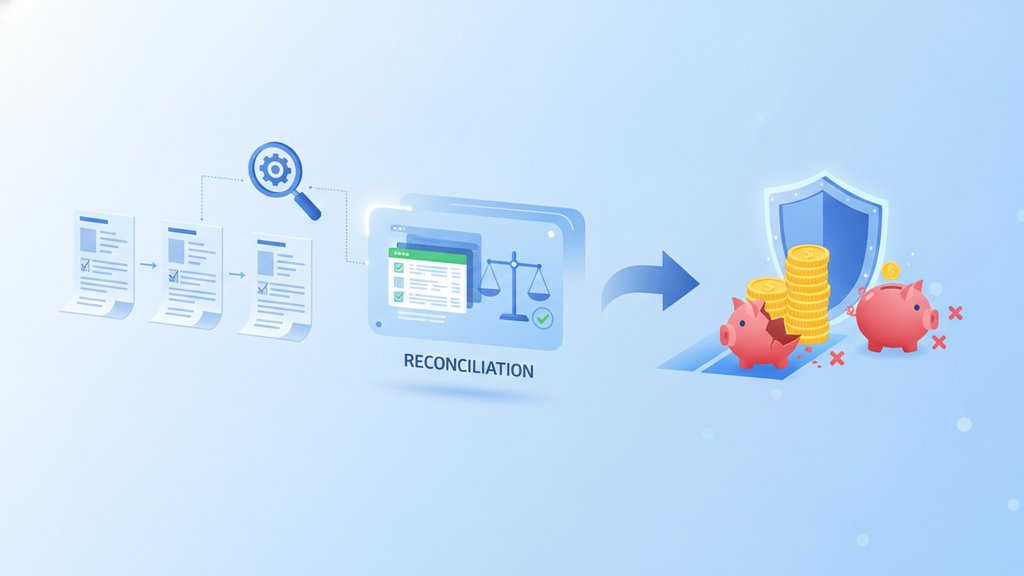
Reconciling invoices means checking every incoming invoice against your own records (purchase orders, delivery receipts, and payment logs) to confirm the amounts, quantities, and terms actually match before you pay. Invoice reconciliation is the safety check that catches duplicate charges, wrong prices, and phantom line items so you never pay for something you didn't order or receive. Done consistently, it stops small clerical errors from turning into thousands of dollars in overpayments.
Content Table
What Invoice Reconciliation Actually Means
Invoice reconciliation is the process of comparing a supplier's invoice against your internal documents to make sure everything lines up before money leaves your account. You're answering three basic questions:
- Did we order this? The invoice should map to a purchase order or agreement.
- Did we receive it? The goods or services should be confirmed by a delivery note or a signed timesheet.
- Is the price right? Unit costs, quantities, tax, and totals must match what was agreed.
This sits inside the broader accounts payable workflow. Every invoice you receive from a vendor is a payable, and reconciliation is the gatekeeping step that decides whether it gets approved, held, or disputed.
The Invoice Reconciliation Process Step by Step
A clean reconciliation follows the same rhythm whether you handle two invoices a week or two thousand:
- Collect the source documents. Pull the invoice, the matching purchase order, and the goods-received note or service confirmation.
- Match the header details. Confirm the vendor name, invoice number, PO number, and date. A duplicate invoice number is your first red flag for a double charge.
- Match line by line. Compare each item's quantity, unit price, and description against the PO and delivery record.
- Check the math. Verify subtotals, discounts, tax rates, and the grand total. Rounding and tax errors are surprisingly common.
- Flag and resolve discrepancies. If something's off, hold the invoice and contact the supplier. A short overcharge might need a credit note from the vendor before you pay.
- Approve and record payment. Once it matches, approve it, schedule the payment, and log it so the invoice can't be paid twice.
2-Way vs 3-Way Matching
Invoice matching is the heart of reconciliation, and how many documents you compare depends on what you bought.
| Method | Documents Compared | Best For |
|---|---|---|
| 2-Way Matching | Invoice + Purchase Order | Services, subscriptions, or anything without a physical delivery |
| 3-Way Matching | Invoice + Purchase Order + Goods-Received Note | Physical goods where you need proof of delivery |
| 4-Way Matching | Invoice + PO + Receipt + Inspection Report | High-value or quality-sensitive orders (manufacturing, pharma) |
3-way matching is the standard for most businesses buying physical products. It's the single best defense against paying for undelivered goods, because the invoice can't clear unless a delivery record confirms the items actually arrived. If you use standing agreements, understanding how a blanket purchase order works helps you match repeat invoices against a single approved contract.
The Costly Errors It Catches
Skipping reconciliation isn't just sloppy, it's expensive. According to research summarized by the Association of Certified Fraud Examiners, billing schemes are among the most common forms of occupational fraud, and many rely on invoices that never get checked. Reconciliation catches:
- Duplicate invoices. The same bill submitted twice, or a resubmitted invoice with a slightly changed number.
- Price creep. A supplier quietly charging more than the agreed rate.
- Quantity mismatches. Being billed for 100 units when 90 arrived.
- Phantom line items. Charges for goods or services you never ordered.
- Wrong tax treatment. Incorrect VAT or sales tax that throws off your filings. This matters even more with a proper tax invoice where the tax line has legal weight.
- Fraudulent invoices. Bills from fake vendors or inflated internal claims.
Manual vs Automated Reconciliation
Small teams often reconcile by hand in a spreadsheet, and that works fine at low volume. The trouble starts when invoice counts climb and human eyes miss a transposed digit or a repeated invoice number.
Automated reconciliation uses software to match invoice data against POs and receipts automatically, flagging only the exceptions that need a human. The payoff:
- Faster processing (seconds per invoice instead of minutes)
- Consistent rules applied to every invoice, no fatigue
- Automatic duplicate detection across the whole payment history
- An audit trail that shows who approved what and when
Automation doesn't remove the need to understand the process. When the system flags a mismatch, someone still has to decide whether it needs a credit note, a debit note, or a supplier conversation.
Practical Tips to Reconcile Faster
- Reconcile on a schedule. Weekly beats monthly. Smaller batches catch errors while the delivery is still fresh in everyone's memory.
- Standardize your documents. Consistent invoice formats make matching far quicker. Knowing the difference between an estimate and a final invoice keeps you from reconciling against a non-binding quote by mistake.
- Keep a payment log. A record of every paid invoice is your last line of defense against duplicate payments.
- Set tolerance thresholds. Auto-approve tiny differences (say, under $1 from rounding) so your team only reviews meaningful gaps.
- Watch buyer-issued billing. If you use self-billing arrangements, reconcile just as carefully, since the buyer generates the invoice and errors flow in the opposite direction.
Reconciliation isn't glamorous, but it's the cheapest insurance policy in your finance stack. A few minutes of matching per invoice protects you from overpayments, fraud, and messy year-end audits.
Cut reconciliation headaches with clean, consistent invoices
Reconciling invoices is far faster when every invoice has matching numbers, clear line items, and a unique reference. Generate professional, standardized invoices in seconds so line-by-line matching just works.
Create an invoice free →
Invoice matching is one step inside reconciliation. Matching compares an invoice against a purchase order and receipt to confirm the details agree. Reconciliation is the full process that includes collecting documents, matching, checking totals, resolving discrepancies, and approving payment.
For most businesses, weekly reconciliation strikes the right balance. It keeps batches small enough to spot errors quickly while deliveries are recent. High-volume operations may reconcile daily, and very small businesses can manage with a monthly cycle if invoice counts are low.
3-way matching compares three documents: the supplier invoice, the purchase order, and the goods-received note. All three must agree on quantity and price before payment is approved. It's the standard control for physical goods because it proves items were actually delivered before you pay.
You hold the invoice and investigate. Contact the supplier to clarify the mismatch, whether it's a wrong price, quantity, or duplicate charge. Depending on the issue, the vendor may issue a credit note, or you may issue a debit note. Only approve payment once the discrepancy is resolved.
Yes. At low volume, a spreadsheet with columns for invoice number, PO reference, amount, and payment status works well. The key is a consistent process and a payment log to prevent duplicates. As invoice volume grows, automated reconciliation becomes worth the investment to avoid missed errors.