Every day, millions of people upload sensitive documents - contracts, medical records, tax forms - to free online PDF tools. Most have no idea what happens next. The question of whether online PDF tools are safe is not a minor technical detail. It has real consequences for your privacy, your clients, and in some cases your legal compliance. Understanding the PDF privacy risks behind these tools is the first step to making smarter choices about where your files actually go.
Content Table
Key Takeaways:
- Most online PDF tools upload your file to a remote server, where it may be stored, scanned, or retained for hours.
- Sensitive documents like contracts, medical records, and tax returns face real exposure risks when processed server-side.
- PDFDeal processes files entirely in your browser using client-side JavaScript - your file never leaves your device.
- Choosing a browser-based, no-upload tool is the most effective way to protect document privacy without sacrificing convenience.
What Actually Happens When You Upload a PDF to an Online Tool
Understanding what happens when you upload a PDF online is genuinely unsettling once you trace the full journey. When you click "Upload" on a typical online PDF tool, your file does not stay on your device. It travels across the internet to a third-party server, often located in a different country from yours. That server processes the file, and in many cases stores a copy of it - sometimes briefly, sometimes longer than you would expect.
Smallpdf, one of the most popular tools in this category, retains uploaded files for one hour. iLovePDF keeps them for two hours. These are the published figures. What most users never read is the fine print about what can happen to files during that window, who has access to the server infrastructure, and how subprocessors (third-party cloud providers) handle the data. PDF tool data retention policies vary widely, and very few users ever check them.
Here is a simplified breakdown of the typical server-upload model:
- You select a file on your device and click upload.
- The file is transmitted over the internet to the tool's remote server.
- The server processes the file (compressing, merging, converting, etc.).
- The processed file is temporarily stored on that server.
- You download the result, but the original and processed copies remain on the server until deletion.
Some tools go further. With the rise of AI-assisted features in 2025 and 2026, several platforms now use uploaded documents to improve their machine learning models - sometimes without explicit user consent. Do online PDF tools store your files? In most cases, yes, at least temporarily. In some cases, longer than that.
The Real Privacy Risks of Online PDF Tools
The online PDF editor security risks are not hypothetical. They fall into several distinct categories, each with real-world consequences.
Man-in-the-Middle Attacks During Upload
Even when a tool uses HTTPS, there are scenarios where file transmission can be intercepted - particularly on public Wi-Fi networks or in environments with compromised network infrastructure. If you are uploading a sensitive NDA from a hotel lobby, the risk is not zero.
Server Breaches and the PDF Data Breach Risk
Any server that stores files is a potential breach target. A PDF data breach risk becomes concrete when you consider that popular tools process millions of documents per day. A single security incident at one of these companies could expose thousands of user files simultaneously. This has already happened in adjacent industries with cloud storage providers.
GDPR and Compliance Violations
If you are based in the EU, or if you work with EU citizen data, uploading documents to a non-compliant server may constitute a GDPR violation. Many free tools are hosted on US-based servers and do not meet the requirements for international data transfers under GDPR Article 46. This is a real legal exposure for businesses, not just a theoretical concern. Finding a GDPR-compliant PDF editor matters for any organization handling European personal data.
AI Training on Uploaded Documents
An emerging risk in 2026 is the use of uploaded files to train AI models. Some tools include buried clauses in their terms of service that grant broad rights to use uploaded content for product improvement. If your document contains proprietary business plans, client data, or personal information, this is a significant concern.
For a deeper look at document-level security practices, see our guide on PDF security and privacy in 2026.
Which Types of Documents Are Most at Risk?
The question of whether it is safe to upload confidential documents online depends partly on what those documents contain. Some file types carry far more risk than others.
Legal Contracts and NDAs
Uploading a signed NDA or a commercial contract to a third-party server creates an obvious problem: the confidentiality obligation in that document may extend to how you handle the file itself. Law firms and legal teams should treat any server-upload tool as a potential breach of client confidentiality.
Medical Records (HIPAA)
In the United States, medical records are protected under HIPAA. Using a free online tool to edit or convert a patient document without a signed Business Associate Agreement (BAA) with that tool's provider is a HIPAA violation. Finding a genuinely HIPAA-compliant PDF editor that is also free is extremely difficult - unless the tool never touches your data at all.
Financial Documents and Tax Returns
Tax returns contain Social Security numbers, income figures, and banking details. Uploading these to a server you do not control - even briefly - creates unnecessary exposure. The IRS and equivalent agencies in other countries have published guidance recommending caution with third-party document handling.
HR Files and Employment Contracts
Employee records, salary information, and performance reviews are sensitive under both employment law and data protection regulations. HR teams routinely use PDF tools without considering that each upload is a data transfer to an external party.
Client Proposals and Business Plans
For businesses, competitive intelligence is a real concern. A detailed proposal or a go-to-market strategy uploaded to a free tool's server is potentially accessible to anyone who gains unauthorized access to that infrastructure.
Are Online PDF Tools Safe to Use?
The honest answer is: it depends entirely on the tool. The category of "online PDF tool" covers a wide spectrum - from server-dependent platforms that store your files to browser-based tools that never touch a remote server at all.
The key distinction is where the processing happens. Server-side tools are convenient but carry inherent risks. Browser-based, client-side tools eliminate those risks by design. When evaluating PDF data protection, this architectural difference is the most important factor to understand.
For businesses evaluating tools as part of a broader workflow, our article on how small businesses can use PDF tools to save time covers the practical side of this decision.
How PDFDeal Handles Your Files Differently
PDFDeal is built on a fundamentally different architecture from most online PDF tools. Instead of sending your file to a remote server, PDFDeal uses client-side JavaScript to process everything directly inside your browser. Your file never leaves your device.
A simple analogy: think of how a calculator app works. You enter numbers, the calculation happens on your phone or computer, and the result appears - nothing is sent to an external server. PDFDeal works the same way for PDF processing. The computation happens locally, in your browser, using your device's own resources.
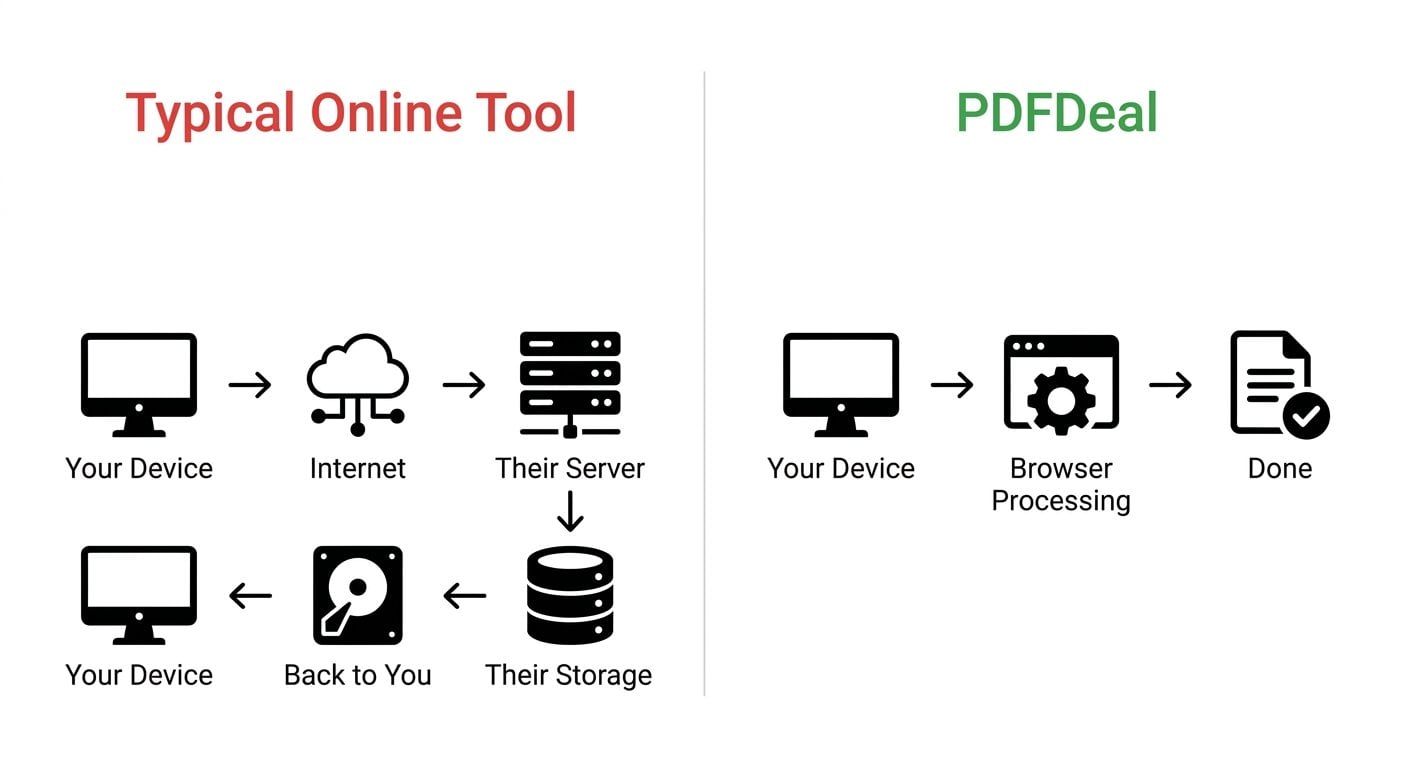
The comparison looks like this:
Typical competitor model:
Your Device - Internet - Their Server - Processing - Their Storage - Back to You
PDFDeal model:
Your Device - Browser Processing - Done
There is no transmission step. There is no server storage. There is no retention window. Because PDFDeal does not operate a file-processing server, there is no server to breach, no data transfer to intercept, and no third-party infrastructure holding copies of your documents.
This architecture also means PDFDeal does not require an account to use. There is no profile to create, no email to verify, and no user data to protect - because none is collected in the first place.
Note on compliance: Because PDFDeal never receives your file, it sidesteps many of the GDPR, HIPAA, and data residency concerns that apply to server-side tools. Your organization's data never crosses into a third-party environment.
Best Practices for Using PDF Tools Safely
Whether you use PDFDeal or are evaluating other options, these practices will help you reduce PDF privacy risks across your workflow.
- Read the privacy policy before uploading. Look specifically for data retention periods, subprocessors, and any language about using uploads for AI training or product improvement.
- Prefer client-side tools for sensitive documents. If a tool's documentation does not explicitly state that processing is done in the browser without server uploads, assume it uses a server.
- Avoid free tools for HIPAA or GDPR-regulated data. Unless the tool provides a BAA (for HIPAA) or a Data Processing Agreement (for GDPR), it is not appropriate for regulated data.
- Do not use public Wi-Fi when uploading to server-based tools. If you must use a server-side tool, do so only on a trusted, secured network.
- Check for HTTPS and look beyond it. HTTPS protects data in transit, but it does not protect data once it reaches the server. Encryption in transit is necessary but not sufficient.
- Use tools that require no account for low-stakes tasks. Fewer accounts mean fewer breach surfaces and less personal data exposed.
If you are working with digitally signed documents, it is also worth understanding the difference between eSignatures and digital signatures - the security implications are different. Our guide on eSignatures vs digital signatures explains the distinction clearly.
Conclusion
The risks of using online PDF tools are real, specific, and largely invisible to the average user. Server-side tools create a chain of exposure - from upload to storage to potential breach - that most people never think about until something goes wrong. The good news is that the solution is straightforward. Browser-based tools like PDFDeal eliminate the server entirely, which means there is nothing to breach, nothing to retain, and nothing to comply with on the vendor's side. Choosing the right tool is not a technical decision. It is a privacy decision, and now you have the information to make it.
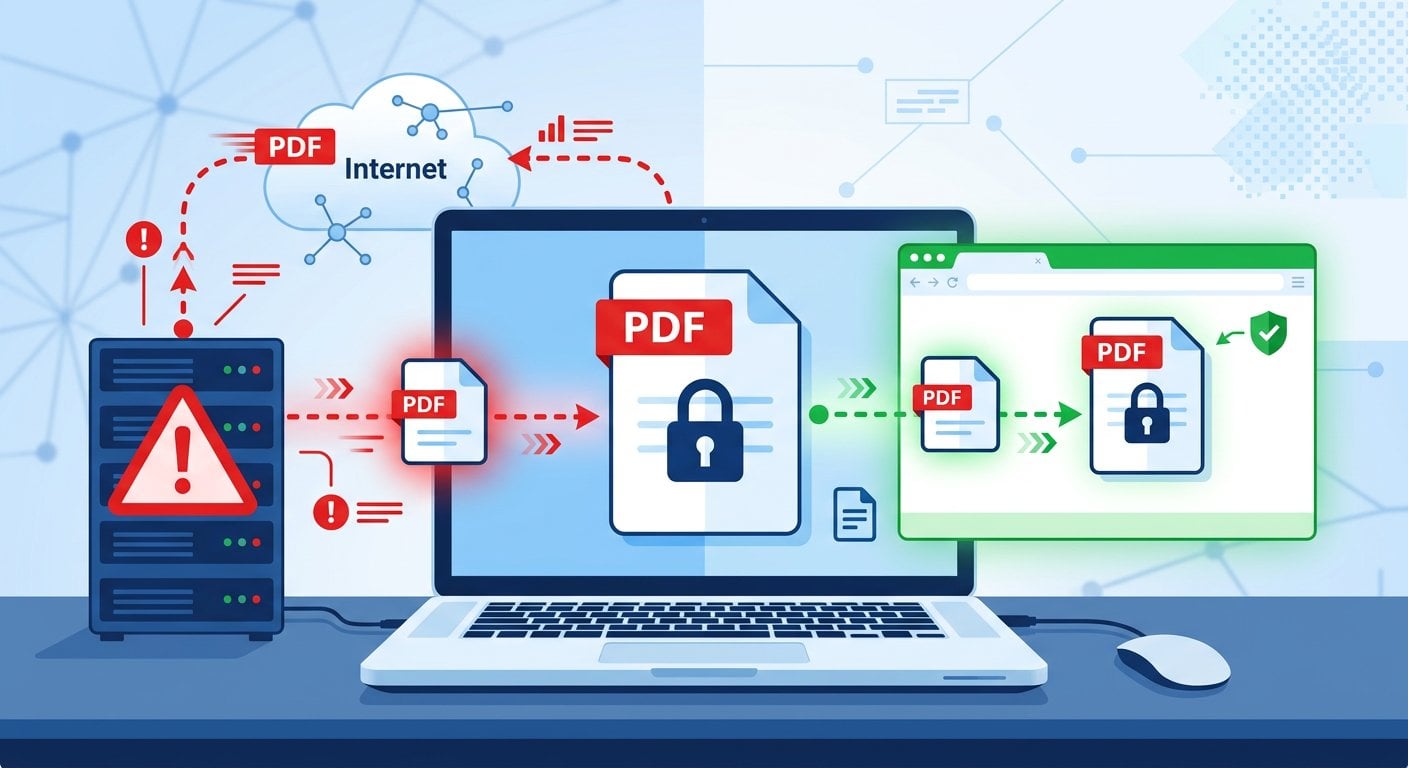
PDFDeal Processes Everything in Your Browser - No Server, No Account Needed
PDFDeal processes everything in your browser - your files never touch our servers because we don't have any. Try it free, no account needed.
Try Our Free Tool →
It depends on the tool's architecture. Server-based tools transmit your file to a remote server where it is processed and temporarily stored, creating real exposure risks for confidential work documents. Browser-based tools that process files locally on your device are significantly safer for professional use.
Server-side tools technically have access to your file during processing and any storage window. Some tools use uploaded documents to improve AI features, which may be disclosed only in terms of service. Client-side tools that process files in your browser never send the file to any server, so no external party can access the content.
Yes. PDFDeal is built on client-side processing, which means all PDF operations happen directly in your browser using JavaScript. Your file is never uploaded to a server because PDFDeal does not operate one. Nothing leaves your device, nothing is stored remotely, and no account is required - making it one of the safest options available for handling sensitive documents.
The safest online PDF tools are those that process files client-side, entirely within your browser, with no server uploads. PDFDeal is built on this model - your file never leaves your device, no account is needed, and there is no server infrastructure that could be breached or compelled to hand over data.
No. PDFDeal requires no account, no email, and no registration. Because processing happens entirely in your browser and no data is sent to a server, there is nothing to log in to. This also means there is no user profile that could be exposed in a data breach.