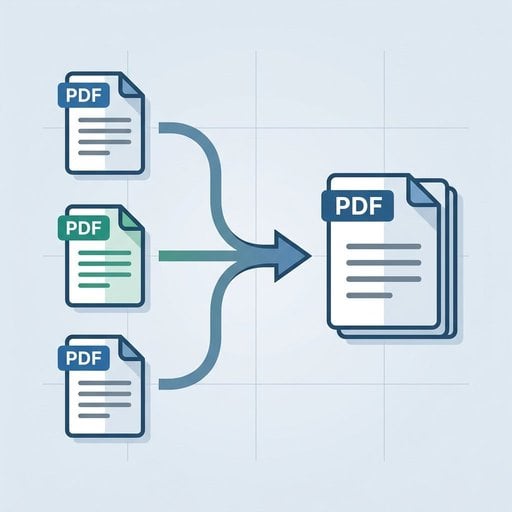
Dealing with a stack of separate PDF files is a familiar headache. Whether you are sending a proposal, submitting a job application, or handing over a project report, switching between multiple files wastes time and creates room for mistakes. The good news is that you can merge PDF files free in seconds using PDFDeal's Merge PDF tool, with no account, no watermarks, and no complicated setup required.
Content Table
Key Takeaways:
- PDFDeal lets you merge PDF files free with no sign-up and no watermarks added to your output.
- You can join PDF files from any device or browser, including iPhone and Android, without installing an app.
- Files are processed privately and are not stored on PDFDeal's servers after your session ends.
- You can reorder pages before finalizing your merged document for a clean, professional result.
Why Merge PDF Files? (Common Use Cases)
Combining PDFs is one of those tasks that sounds minor until you realize how often it comes up. Here are the most common situations where merging saves real time:
- Combining contract pages: Legal agreements often arrive as separate attachments. Merging them into one file keeps everything organized and easier to sign or share.
- Merging a CV and cover letter: Recruiters prefer a single PDF attachment. Joining your resume and cover letter removes any risk of the cover letter going unread.
- Assembling a multi-chapter report: Writers and analysts who draft each section separately can combine everything into one polished document before submission.
- Joining scanned documents: Scanners often produce one PDF per page. Merging them turns a folder of loose files into a single, readable archive.
- Combining invoices for a client: Sending one consolidated invoice PDF looks more professional than attaching five separate files to an email.
- Compiling research or study notes: Students can join lecture slides, handouts, and notes into one file for easier revision. (See also: Best PDF Editor for Students: Free Tools and Study Tips.)
How to Merge PDFs with PDFDeal - Step by Step
The process takes under a minute. Here is a concrete example: imagine you have three separate files - Project_Scope.pdf, Budget_Estimate.pdf, and Timeline.pdf - and you need to send them to a client as one document before a Monday meeting.
-
Step 1. Open the PDFDeal Merge PDF tool.
Navigate to PDFDeal's Merge PDF page. No account creation or email address is needed. The tool loads instantly in your browser. -
Step 2. Upload your PDF files.
Click the upload area or drag and drop your files directly onto the page. In our example, you would select Project_Scope.pdf, Budget_Estimate.pdf, and Timeline.pdf all at once. PDFDeal accepts multiple files in a single upload action. -
Step 3. Reorder the files if needed.
Once uploaded, your files appear as a list with thumbnail previews. Drag them into the correct sequence. For the client package, you would place the scope first, then the budget, then the timeline - so the reader follows a logical flow. -
Step 4. Click "Merge PDF".
Hit the merge button and the tool processes your files on the spot. There is no waiting queue and no file size warning interrupting the process. -
Step 5. Download your merged file.
A download button appears as soon as processing is complete. Click it to save your combined PDF. The output file has no watermark and is ready to send immediately.
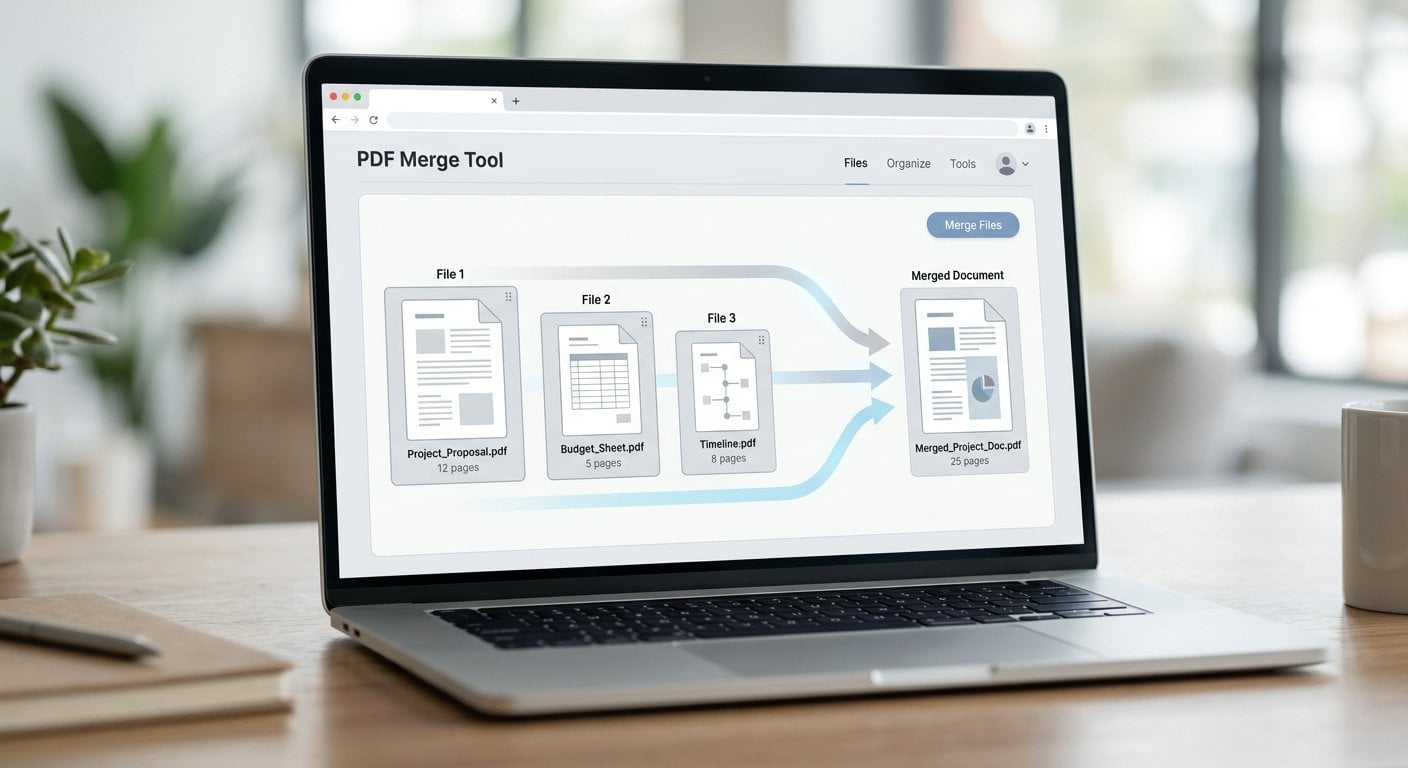
The entire process - from opening the tool to downloading the result - typically takes less than 60 seconds. If you need to tidy up the final document further, PDFDeal also lets you remove unwanted pages from your PDF after merging.
Why Use PDFDeal to Merge PDFs? (vs. Competitors)
There are dozens of online PDF tools available, but most of them come with friction - forced sign-ups, file size limits, or watermarks stamped across your finished document. PDFDeal is built differently. Here is what sets it apart:
| Feature | PDFDeal | Typical Competitor |
|---|---|---|
| Account required | No sign-up needed | Often required for full access |
| Watermarks on output | None - ever | Added on free tier |
| File or size limits | No caps | Restricted on free plans |
| File storage after processing | Files deleted after session | Varies - often stored temporarily |
| Device compatibility | All browsers and devices | Desktop-focused |
The ability to combine PDF files without uploading to a third-party server that retains your data is a genuine differentiator. For business users handling contracts, financial documents, or personal records, that privacy assurance matters. You can also edit PDFs online using PDFDeal's broader suite of tools after you have finished merging.
For businesses looking to streamline document workflows more broadly, it is worth reading how small businesses use PDF tools to save time in 2026.
Privacy note: PDFDeal processes your files in the browser session and does not retain copies on its servers. This makes it a safe choice for sensitive documents - a key advantage when you want to combine PDF files without uploading them to a platform that stores data indefinitely.
Can You Merge PDFs on iPhone or Android?
Yes, PDFDeal's Merge PDF tool works fully on mobile browsers without any app download. Whether you are using Safari on an iPhone, Chrome on an Android device, or any other mobile browser, the interface adapts to your screen size automatically. You can upload files from your phone's local storage or cloud services like Google Drive and iCloud, reorder them with a tap-and-drag gesture, and download the merged result directly to your device. This makes PDFDeal a practical option for anyone who needs to merge PDF free no sign up while away from a desktop computer - no installation, no account, no friction.
Conclusion
Merging PDFs does not need to be complicated or expensive. PDFDeal gives you a straightforward, browser-based way to join PDF files in seconds, with no account, no watermarks, and no hidden limits. Whether you are a student assembling study notes, a freelancer packaging deliverables, or a business owner consolidating invoices, the process is the same: upload, reorder, merge, download. That is all it takes to turn a folder of separate files into one clean, professional document ready to share.
Merge PDF Files Free - No Sign-Up, No Watermarks
Ready to combine your files? PDFDeal's Merge PDF tool is one click away. Upload your PDFs, arrange them in order, and download a clean, watermark-free result in under a minute. It is the fastest way to merge PDF free no watermark on any device.
Try the Free Merge Tool →
Frequently Asked Questions
Go to PDFDeal's Merge PDF tool, upload your files, drag them into the order you want, and click "Merge PDF." Your combined file downloads instantly with no watermark. The whole process takes under a minute and requires no account or software installation.
Yes. You do not need Adobe Acrobat or any desktop software to merge PDFs. Browser-based tools like PDFDeal handle the entire process online, making it accessible on any device without a paid subscription or software download.
PDFDeal does not impose a strict cap on the number of files you can combine in one session. Unlike many competitors that restrict free users to two or three files, PDFDeal lets you upload and merge multiple PDFs without hitting a paywall or being asked to upgrade.
PDFDeal processes your files during the active session only and does not store them on its servers afterward. This means your documents are not accessible to other users or retained for any purpose once you close the tool. It is a secure way to handle sensitive files online.
You can reorder your source files before merging by dragging them into the correct sequence in the PDFDeal interface. If you need to adjust individual pages after the merge is done, PDFDeal's page management tools let you remove or rearrange pages in your combined PDF.